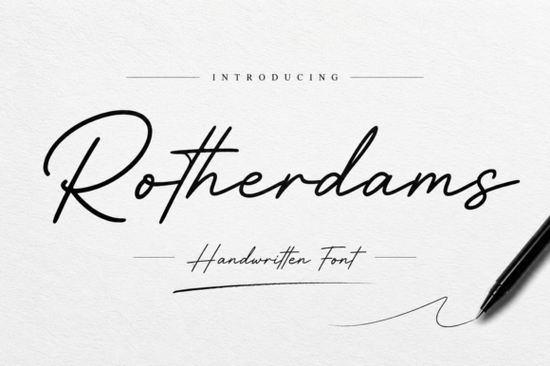
If you've been searching for a handwritten signature font that looks natural and polished, Rotherdams Font is worth a close look. It's a graceful script typeface with smooth flowing strokes that mimic real pen movement. Whether you're designing a logo, wedding invitation, or brand packaging, this font brings a warm, personal feel without looking sloppy or over-designed.
What makes this handwritten font different from others?
Plenty of script fonts claim to look "handwritten," but many end up feeling stiff or overly digital. Rotherdams stands out because of its natural letter connections and balanced spacing. Each character flows into the next with a rhythm that feels like genuine handwriting, not a computer-generated imitation.
The font includes both uppercase and lowercase letters, along with alternates and ligatures that give you more design flexibility. This means you can customize your text to avoid repetitive letter shapes a common issue with script fonts that makes them look artificial.
Who is this typeface designed for?
This typeface works well for a range of creative professionals and hobbyists:
- Small business owners creating logos, business cards, or product labels
- Wedding stationery designers working on invitations, menus, and place cards
- Print-on-demand sellers looking for elegant text for mugs, tote bags, and apparel
- Social media managers and content creators designing Instagram quotes or story templates
- Photographers who need a subtle watermark that doesn't overpower their images
- Packaging designers working on beauty, boutique, or lifestyle products
Its versatility across both digital and print projects makes it a practical addition to any font collection.
What design projects work best with this signature style?
Here are some specific ways people use Rotherdams in their work:
- Brand identity: Logos, brand marks, and taglines for beauty and lifestyle brands
- Wedding stationery: Save-the-dates, RSVP cards, and table numbers
- Packaging: Labels for candles, skincare, artisan goods, and boutique items
- Social media graphics: Quote posts, promotional banners, and story highlights
- Fashion design: Lookbook layouts, clothing tags, and editorial spreads
- Photography watermarks: Clean, professional branding overlays
Pair it with a clean sans-serif font for body text and you'll get a polished result every time. For projects that need a floral or decorative script style, you might explore the Florist Perfect Font, but for signature-style branding, this elegant script is hard to beat.
How does it compare to other signature fonts?
If you're weighing your options, it helps to compare. The Le Mores Signature Font is another popular choice that leans toward a more dramatic and flowing signature look. It's great for projects where you want bold, expressive strokes.
For something softer and more delicate, the Lim Siendra Font offers an elegant handwritten alternative that works beautifully for feminine branding and stationery.
And if you're working on children's designs or playful party themes, Mickey Mouse Font takes a completely different direction with its fun and whimsical character.
Rotherdams sits in a sweet spot between elegance and readability. It's sophisticated enough for luxury branding but approachable enough for everyday creative projects. According to Google Fonts knowledge, pairing a well-crafted script with a simple geometric sans-serif creates strong visual hierarchy and that's exactly the kind of combination this font supports.
Is it easy to install and use?
Yes. Once downloaded, it works in all standard design software including Adobe Illustrator, Photoshop, Canva, Procreate, and Cricut Design Space. The font file comes in common formats (OTF and TTF), so compatibility isn't an issue for most users.
One thing to note: because it's a connected script font, you'll want to check letter spacing in longer text blocks. It's best suited for headlines, logos, and short phrases rather than paragraphs of body copy.
Quick setup checklist
- Download the font file after purchase
- Install the OTF or TTF file on your computer
- Restart your design software if needed
- Test with your specific project text to check spacing and flow
- Use alternates and ligatures for a more natural, varied look
- Pair with a simple sans-serif for contrast and readability
Tip: Before finalizing any design, print a test copy or view it at full size on screen. Script fonts can appear different at smaller sizes, and you want every word to read clearly in the final product.
Try It Free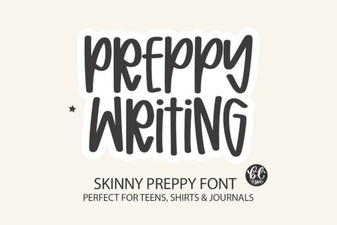 Elegant Preppy Writing Fonts for Stylish Design Projects
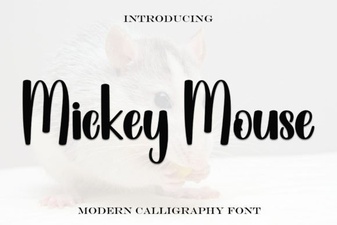 Mickey Mouse Script Font - Free Disney Inspired Typeface Download
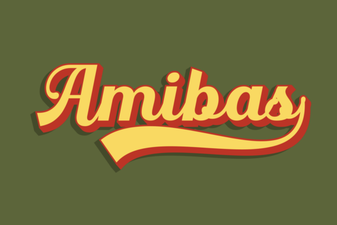 Amibas Font: a Creative Display Typeface for Bold Designs
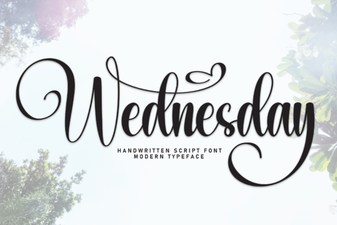 Wednesday Font: Creative Design Ideas and Usage Guide
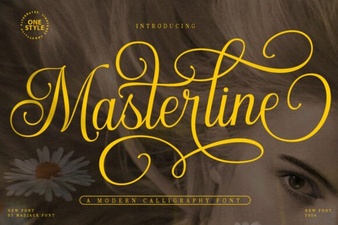 Masterline Calligraphy Font for Elegant Design Projects
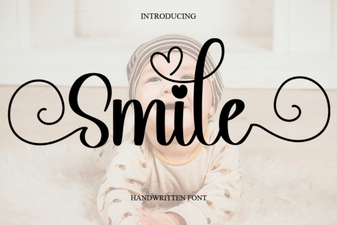 Smile Font: a Playful Typeface for Joyful Designs