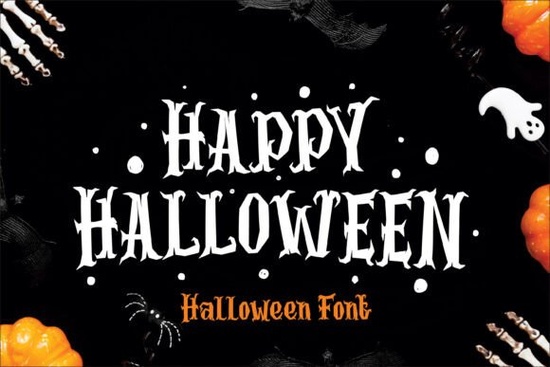
The Halloween Font is a bold, gothic-inspired typeface built for one thing: making your Halloween designs look genuinely spooky. Whether you're a print-on-demand seller, a crafter working on seasonal décor, or a designer putting together party invitations, this display font gives you creepy letterforms packed with bat-wing details, cobweb patterns, and elongated serifs that scream haunted season.
Available on Creative Fabrica, it taps into classic Halloween aesthetics think deep blacks, blood reds, and eerie greens to help your projects feel festive without any extra effort.
What Makes This Font Look So Spooky?
The details are what set this typeface apart. Each character has been carefully designed with twisted, elongated serifs and decorative elements you'd normally have to add manually in a design program. Here's what you'll find inside:
- Cobweb-like textures woven into the letterforms
- Bat-wing embellishments on select characters
- Extended descenders that drip and stretch for a creepy silhouette
- A playful yet haunting tone that works for both kids' events and adult Halloween parties
The overall feel is gothic and theatrical. It doesn't just whisper "Halloween" it announces it loudly, which is exactly what you want for posters, banners, and apparel.
Where Can You Actually Use This Font?
This is a display font, so it shines in situations where text needs to grab attention at a glance. Here are some practical uses:
- Posters and flyers Halloween event promotions, haunted house ads, and school party announcements
- T-shirt designs Screen printing or direct-to-garment for seasonal apparel lines
- Embroidery projects Bold letterforms translate well onto fabric with embroidery machines
- Craft projects Greeting cards, treat bag labels, pumpkin carving stencils, and scrapbooking
- Digital content Social media graphics, YouTube thumbnails, and email headers for October campaigns
- Party decorations Banners, cupcake toppers, and table signs
For sellers on platforms like Etsy or Redbubble, having a solid Halloween typeface in your toolkit means you can quickly create seasonal listings that actually sell. The holiday niche is competitive, and design quality matters.
How Does It Compare to Other Display Fonts?
If you work with display fonts regularly, you probably already have a few favorites. A typeface like the Welcome Font offers a friendly, warm aesthetic great for invitations and signage year-round. Meanwhile, the Roadster Customs Font leans into a retro, custom-car vibe perfect for automotive and vintage designs.
For projects involving kids, something like the Brother Children Font delivers a playful, rounded style. And if you need variety in one download, the Varsity College Sporty Bundle packs multiple athletic-style typefaces together.
The Halloween Font, though, fills a specific seasonal niche. It's not trying to be versatile it's designed to do one job well: make things look spooky. That focus is what makes it effective.
What File Formats Do You Get?
When you grab this font from Creative Fabrica, you typically receive standard web and desktop font files that work across major design software. That means:
- Adobe Illustrator and Photoshop
- Canva (with font upload)
- Cricut Design Space
- Silhouette Studio
- CorelDRAW
Always double-check the license details before using any font for commercial projects. Creative Fabrica generally offers licenses that cover commercial use, but specifics can vary by product.
Quick Tips for Working With Spooky Display Fonts
- Use it for headlines only. Decorative fonts like this are hard to read at small sizes. Pair it with a clean sans-serif for body text.
- Give it breathing room. Let the decorative details show by increasing letter spacing slightly.
- Stick to Halloween color schemes. Black on orange, white on dark purple, or green on black these combinations reinforce the theme instantly.
- Test it at the size you'll actually use. What looks great on screen might lose detail when printed small or scaled up for a banner.
Before You Start Your Next Halloween Project
If you're planning seasonal designs whether for a client, your online shop, or personal crafting grab the Halloween Font early so you have time to experiment with it. Here's a quick checklist to get started:
- Download the font and install it on your system
- Open your preferred design software and test all characters
- Pair it with a simple secondary font for readable text
- Choose a Halloween-appropriate color palette
- Create mockups before finalizing check readability at actual print size
- Review the license terms for your specific use case
Starting early also means you'll beat the October rush when everyone else is scrambling to launch their Halloween products.
Download Now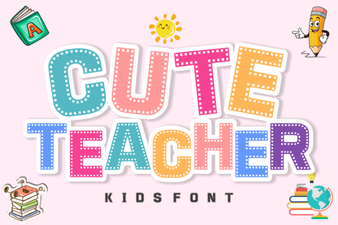 Playful Fonts for Creative Classrooms
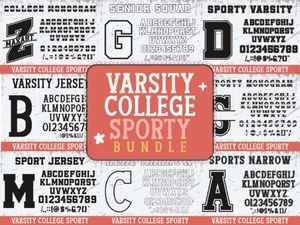 Varsity College Sporty Bundle Font for Display Designs
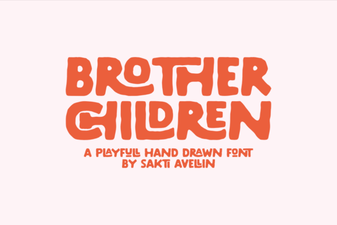 Brother Children Font: Playful Designs for Young Creatives
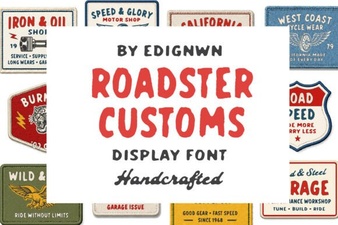 Roadster Customs Font – Bold Display Typeface for Headlines
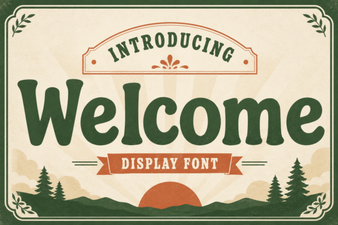 Welcome Font – a Friendly Typeface for Creative Projects
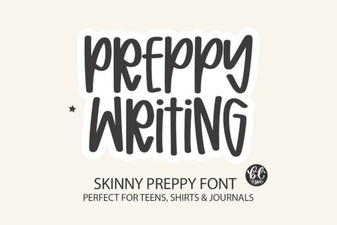 Elegant Preppy Writing Fonts for Stylish Design Projects