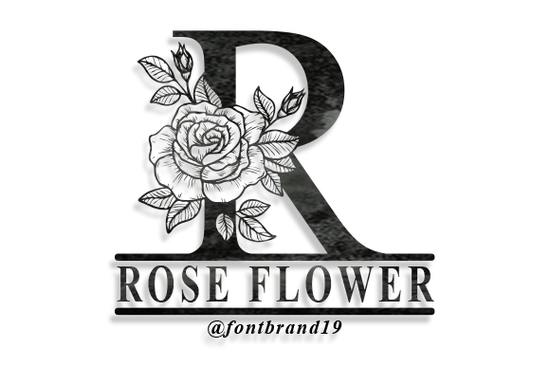
The Split Rose Flower Monogram Font is a decorative typeface designed around one idea: making monograms look romantic and polished. Each letter comes with split floral details rose ornaments that sit inside or around the character so you get a complete monogram design without layering extra graphics. If you work on wedding stationery, personalized gifts, or boutique branding, this font saves time and still looks hand-crafted.
What makes a split monogram font different from a regular decorative font?
A standard decorative font gives you styled letters. A split monogram font goes further it divides each letter horizontally or vertically, leaving a gap where you can insert a name, date, or short word. The Split Rose Flower Monogram takes this concept and fills the letter outlines with detailed rose illustrations. The result is a frame-like letterform that works as a standalone design element.
This style has been popular in vinyl crafting and laser-cut projects for years. The split opening makes it easy to personalize items like:
- Wedding invitations and save-the-dates
- Tumblers, tote bags, and home décor signs
- Greeting cards and gift tags
- Social media graphics for event announcements
- Branding materials for florists, boutiques, and bakeries
What file formats and license options are included?
When you grab this font from Creative Fabrica, you typically get OTF and TTF files, which work on both Mac and Windows. It also comes with a commercial license, meaning you can use it for client projects and print-on-demand products without worrying about extra fees. Always double-check the specific license terms on the product page before selling large quantities, but for most small-business use cases, you're covered.
How do you use a split monogram font in your design software?
Using the Split Rose Flower Monogram font is straightforward. Here's a quick walkthrough:
- Install the font download the files, extract them, and install on your computer like any other font.
- Type your letter open your design tool (Canva, Cricut Design Space, Adobe Illustrator, Silhouette Studio, etc.) and select the font from your font list.
- Add text in the split gap use a simple serif or script font for the name or word that sits inside the opening. A clean font like Great Vibes pairs well without competing with the rose details.
- Adjust sizing and spacing scale the monogram letter to fit your project, then position the inner text so it sits centered in the gap.
- Export save your design as PNG, SVG, or PDF depending on your end use.
For Cricut and Silhouette users, you may want to weld or flatten layers before cutting to keep the intricate rose outlines clean.
Who is this font best suited for?
This font works especially well for people who create personalized products. If you run an Etsy shop selling custom drinkware or wall art, a split monogram font lets you offer personalization without spending hours on illustration. Wedding stationery designers can build full invitation suites around it. Even small businesses that want a boutique feel in their branding think floral shops, event planners, or handmade soap makers can use it for logos and packaging.
It also pairs nicely with other decorative typefaces. If you're building a font collection, consider adding something like Flower Bouquet for coordinating floral elements in your projects.
You can explore more details and download the font here.
Tips for getting the best results
After working with ornamental monogram fonts on various projects, a few practical tips make a real difference:
- Use a contrasting inner font. Since the monogram letter is detailed, keep the split text simple. A basic serif or elegant script prevents visual clutter.
- Print at the right size. Very small prints (under 1 inch) can lose the rose detail. Test print at your target size before committing to a full batch.
- Choose the right material. Vinyl, cardstock, and sublimation prints handle intricate designs well. Textured fabrics may blur the fine lines.
- Layer with solid shapes. Placing a circle or shield shape behind the monogram gives it more presence on invitations and signage.
Quick checklist before you start your next project
- ☑ Font installed and showing correctly in your design software
- ☑ Inner text font selected and sized to fit the split gap
- ☑ Colors chosen test both dark and light backgrounds
- ☑ Test print or cut made at final output size
- ☑ Export format matches your production method (SVG for cutting, PNG for print)
Next step: Download the font, open your design tool, and create one simple monogram with a single letter. Print it on cardstock at full size to see how the rose details look in person. That one test will tell you everything you need to know before building a full product line around it.
Get Started Elegant Preppy Writing Fonts for Stylish Design Projects
 Playful Fonts for Creative Classrooms
 Rough Cowboy Font: Bold Western Style for Creative Projects
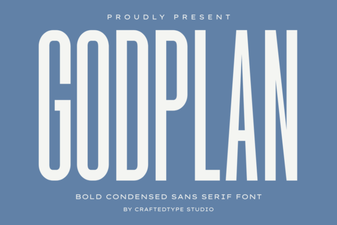 Godplan Font: Elegant Typography for Creative Design Projects
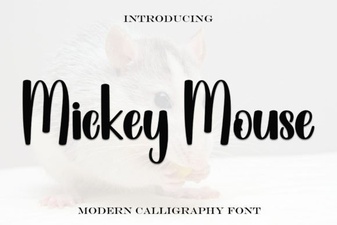 Mickey Mouse Script Font - Free Disney Inspired Typeface Download
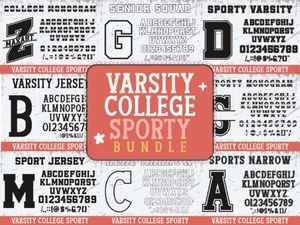 Varsity College Sporty Bundle Font for Display Designs